Check the copy.
Keep the original.
Copy filesSHA-1 / MD5Read back
Transfer checks and read-back verification help confirm your backup before you clear a card.

FROM CAPTURE TO DELIVERY

Some images and videos below show prototype hardware. Refer to the product images above for the appearance of your selected model.
PIXELMOB / PORTABLE AI WORKSTATION
Back up. Find your selects. Start the edit.
One device. Wherever the shoot takes you.

MADE FOR THE MOMENT
From the first backup to the first edit.
Keep your workflow close, wherever you create.
SHA-1 / MD5 checks, read-back verification and two backup destinations.
Protection details ↓RAW editing on both models. Enhanced AI culling, Cones grading and video proxies on Pro.
Tools & model differences ↓Pro Bay 3 mounts over USB4. Use SMB on your network, or the UnifyDrive app on your phone, tablet or computer.
Connection details ↓Back up. Review. Cull. Edit. Share.
See the complete workflow on PixelMob.
Up to
800MB/s
CFexpress Type B; Type A requires an adapter.
File verification, mirrored storage
and encrypted cloud uploads.
* Backup speed depends on media and configuration. Mirrored storage requires multiple compatible drives. Earlier footage shows engineering hardware; final product details may differ.
Transfer checks and read-back verification help confirm your backup before you clear a card.
Back up to the internal RAID pool and a supported external SSD or Pro Bay 3. Store an external copy separately.

Up to 8TB on Standard. Up to 24TB on Pro. Pro's USB4-accessible Bay 3 is separate from the internal RAID pool.
Compatible SSDs required. Usable capacity depends on configuration.BUILT AROUND YOUR ORIGINALS
Explore seven complementary safeguards. Each protects your files in a different way.
Stop writing to the source before attempting recovery. Recovery depends on whether the data has been overwritten.
SHA-1 / MD5 checks validate transferred files, with automatic retry on verification failure.
Read-back verification checks the data written to storage after copying.
Internal RAID provides redundancy against a single-drive failure. It does not replace a separate backup.
Monitor storage health and live transfer speed. Photo thumbnails move past one by one as images are backed up, and Task Center shows the progress of all tasks.
Choose two available storage destinations for a backup task. An external SSD can be disconnected and stored separately.
Use supported cloud services, S3, an external drive or NAS. Encryption before upload is available where supported.
RAID is not a separate backup. Recovery depends on whether data has been overwritten.
Pro Bays 1 + 2 form the internal RAID pool. Bay 3 is a separate USB4 drive. An external SSD can be disconnected and kept in another location.
After an interruption, resolve the source or destination issue and check the verification results. For recovery, stop writing to the original media.
RAW review and editing on both models. Enhanced AI culling and Cones grading on Pro.
 01 / 03
Open your RAW files and inspect the shot on screen, while there’s still time to take another.
 02 / 03
Group similar shots for a first pass. Pro adds enhanced checks for blur and closed eyes. AI labels candidates without deleting your originals.
 03 / 03
Edit RAW files without a subscription on either model. Pro adds Cones color grading, presets and batch adjustments.

SHARE & COLLABORATE
Send previews to a phone.
Review them together, right on location.

FROM THE FIELD TO POST
Connect Pro over USB4.
Continue the edit at your workstation.
HARDWARE THAT KEEPS UP · PRO
The screen, storage and connections are part of the workflow. Choose the model that fits the way you shoot.

A larger, brighter view for reviewing focus and framing. Standard brings a 5.5-inch AMOLED display to a smaller setup.

Pro has an 11,600mAh built-in battery and supports NP-F expansion. Standard has a 6,600mAh built-in battery. External battery inclusion depends on your configuration.
Pro supports up to 24TB across three M.2 2280 SSD bays. Standard supports up to 8TB across two M.2 2230/2242 bays. Maximum capacity requires compatible SSDs.
Use Pro's dedicated USB4-accessible SSD bay to continue working from your computer, with a connection rated up to 40Gbps. Standard provides USB 3.2 Gen 1 connectivity.
Interface rates are not guaranteed file-transfer speeds. Performance depends on the SSD, host, cables and workload.

Connect a supported camera, transfer photos as you shoot, then review and back up the files on PixelMob. Check your exact camera model in the compatibility list below.

Use Pro's HDMI input for monitoring, LUT preview and lightweight recording for review. Keep high-frame-rate originals on your camera.

Focus stacking, HDR, panoramas and star trails. Capture a sequence, then composite on Pro.

Review RAW photos and group similar frames. Pro adds enhanced blur and closed-eye checks. AI marks candidates without deleting your originals.

Both models support subscription-free RAW editing. Pro adds Cones color grading, presets and batch adjustments. XMP sidecars carry supported adjustments into your next editing step.

Generate lighter proxies from supported footage while preserving timecode and audio. Review the footage and attach notes to specific moments.

Browse source files, copy or move material, and open it in another PixelMob app for review or editing.

Access your PixelMob files with the UnifyDrive app on your phone, tablet or computer. Your devices do not need to be on the same network.
FIND YOUR FIT

For everyday photography and travel.

For demanding photo and video workflows.
Maximum capacities require compatible SSDs. Check the selected configuration for included storage and accessories.
Not sure? Find your setup →IN CREATORS' HANDS
Watch full reviews from creators. Hear the context, see the hardware and decide how PixelMob fits your own workflow.
 Watch full video
I've literally been waiting years for this to come out!
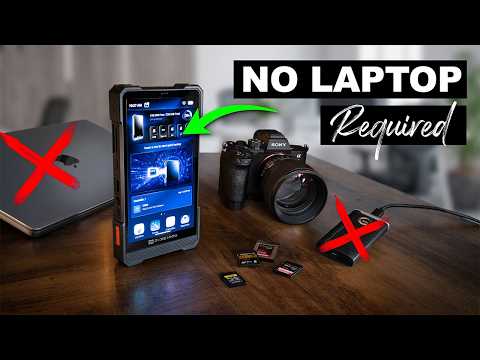 Watch full video
Why EVERY Photographer is going to WANT this! - PIXELMOB
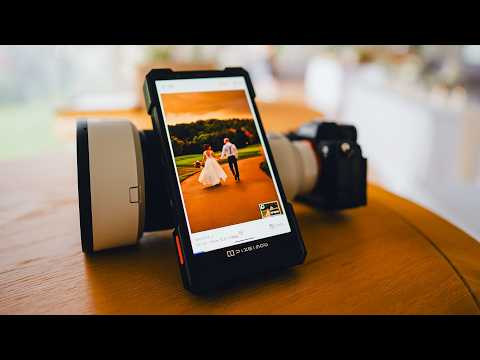 Watch full video
The Backup Device We Have Waited 10 Years For: PixelMob
 Watch full video
Pixelmob Pro - More than just a Backup Drive
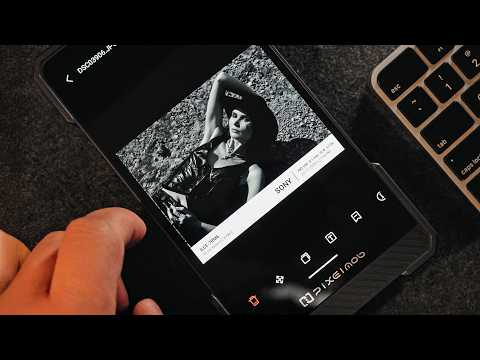 Watch full video
I've Never Seen Anything Like This - Pixelmob
 Watch full video
THIS NAS IS COOL! The PixelMob Movie Video Editor NAS
Video titles are shown as published by their creators. Reviews may feature pre-production hardware; refer to each video for the creator's disclosures and full assessment.
Explore more creator reviews & demos →A DIFFERENT PERSPECTIVE
From initial wedding-photography workflow thoughts to adding Android apps: explore these hands-on tester videos.
 Watch full video
Pixelmob Pro: A Wedding Photographers Initial Workflow Thoughts
 Watch full video
PixelMob Pro - Adding Android Apps
Third-party app availability and compatibility vary. These videos show the experiences of the individual testers.
POWERED BY UNIFYDRIVE
PixelMob brings UnifyDrive's experience in storage and data management into a portable creator workflow. The team's previous UT2 campaign raised over US$1 million on Kickstarter.
UT2 is a previous product. Its campaign result is separate from PixelMob's campaign.

Check your selected configuration and the store's shipping statement for your pre-order details.
BEFORE YOU ORDER
Review the contents shown in the configuration selector. Storage and accessories vary by bundle; do not assume every configuration includes an SSD or an external battery.
Back to configurations ↑For pre-orders placed on this website:
These are estimates, not guaranteed arrival dates. Actual delivery timing may vary by destination.
Shipping & delivery →Yes. For pre-orders placed on this website, you can cancel before shipment for a full refund, with no cancellation or processing fees. Email support@pixelmob.ai with your order number to request cancellation.
This pre-shipment cancellation rule applies to website pre-orders only. Regular orders and Kickstarter pledges follow their respective policies.
Cancellation & refund policy →Compare the models and check compatibility for the cameras, cards and storage you use.
Find your setup → · Compare models →Explore individual tools for capture, selection, editing and review.
Explore all features →
YOUR NEXT SHOOT STARTS HERE